Back to
Childhood
Level Up Your Memories! A virtual multi-sport event for runners, riders, skaters, and kids. Step into nostalgia and earn unforgettable rewards By MuVS.
Registration Opens
December 4th
Secure your spot early to get the limited edition rewards.
Event Period
14 Days Window
Complete your activity within 14 days of your registration date.
Medal Dispatch
Fast Shipping
Dispatched 3–5 days after data submission. Ships every Friday & Tuesday.
Choose Your Category
Whether you run, ride, or skate, there's a challenge for you.
RUN
RIDE
SKATE
KIDS SPECIAL
Why Join the Challenge?
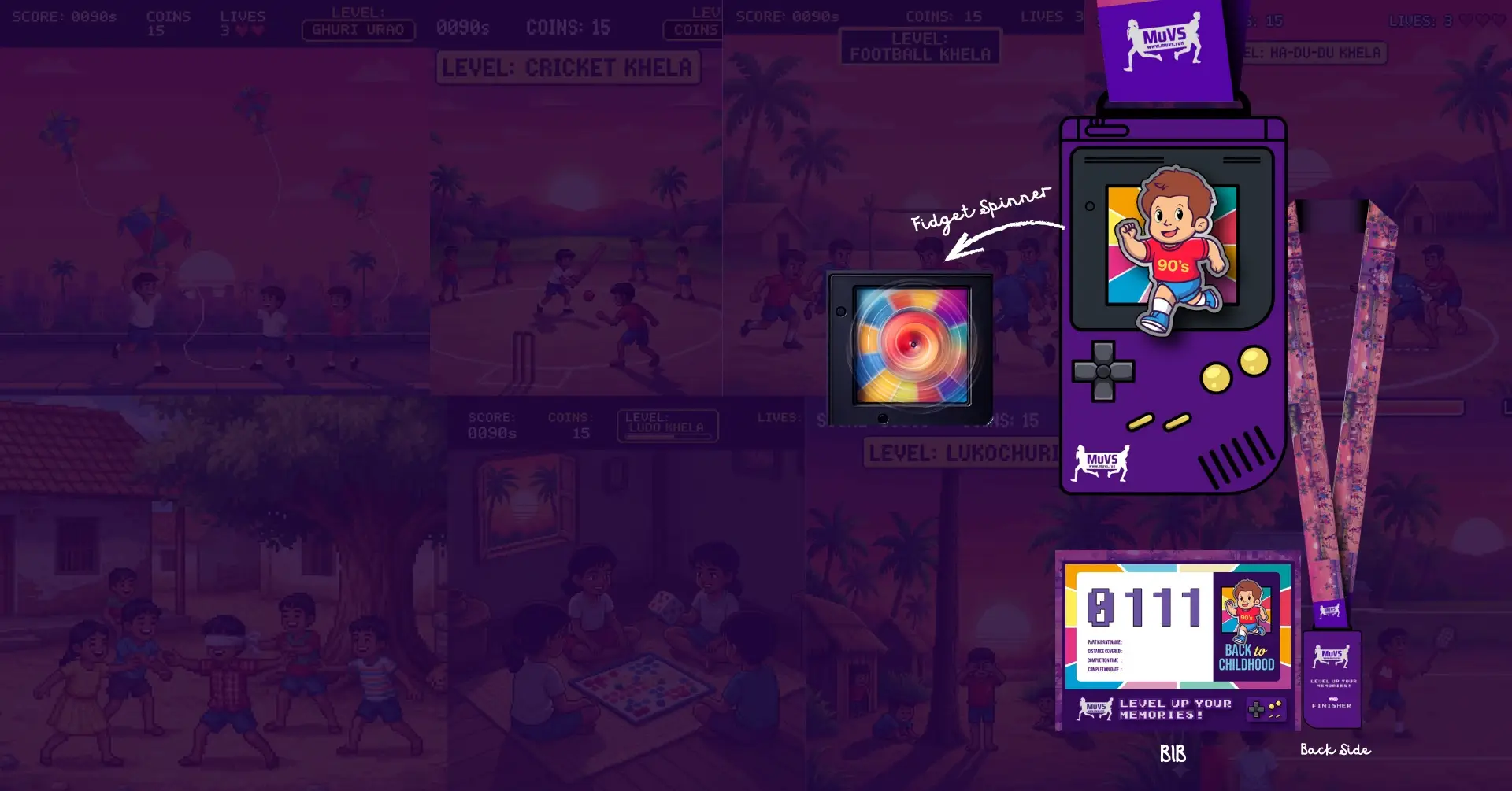
Limited Edition Medal
A collectible finisher medal designed to celebrate your achievement.
Physical Bib + eBib
Physical bib will be delivered with your medal. Also can create a fun eBib with your name and custom number.
E-Certificate
Personalized certificate of completion to share your success.
Authentic ‘90s Toys
Special gifts included! Relive the nostalgia with real 90s toys.
How It Works
No cut-off time
Complete your distance anywhere in Bangladesh at your own pace.
Record with Strava
Download the Strava app. Record your run/ride activity. Ensure it's set to "Public".

Submit and Win
Submit your activity data link through our website to validate your run and claim your rewards.
Back to Childhood
Ready to start the challenge? Click the button below to join.
Or use this direct link: https://muvs.run/step/back-to-childhood/
Frequently Asked Questions
Everything you need to know about MuVS virtual events
How can I collect my MuVS medal?Registration
To get the medal, you need to register for our virtual event first. After registering, you'll receive a confirmation email with a data submission link & eBib Generator.
What is Virtual Event?Basics
A virtual event (or virtual run/ride/Skate) is a race you can complete from anywhere in the world. Unlike traditional races with a fixed location and start time, a virtual event gives you the freedom to choose your own place and time. All you need to do is use the Strava app.
Where can I get the Strava app?Setup
If you're using Android, go to the Play Store.
Strava app on Google Play Store
If you're using an iPhone, go to the App Store.
Strava app on Apple App Store
Search for 'Strava' and install the app.
How do I use the Strava app?Recording
After installing it, create an account. You'll see an interface like this. Tap Record:
And choose Run, Ride, or Inline Skate based on the category you selected during registration:
Then press Start and begin your activity. Make sure your location is turned on and your Strava account is set to public.
How do I end and save the activity?Finishing
After completing your distance, tap Pause.
You'll see the Finish button. Tap it and save your activity.
You can also add your custom eBib here.
What is a custom eBib, and where can I get it?eBib
You'll receive a Bib Generator link in your confirmation email. Use it to create and download your eBib easily.
How do I submit my data?Submission
Open your activity in Strava, tap Share:
And copy the link:
In your confirmation email, you'll find the Data Submission Link. Open it, fill in your basic information, paste the Strava link in the Strava Link field, and submit your activity.
When will I get the medal?Delivery
After you submit your activity, your part is done. Within 3 to 5 days, we'll send your medal and goodies to your doorstep.
Do all categories get the same medal?Medal Details
Yes, all categories receive the same medal. However, your category will be engraved on the back.